
XR IT & Security Deployment Best Practices
How to roll out VR headsets across an enterprise without opening new security gaps: device management, network and firewall rules, identity, cloud data protection and shared headsets.
Published by VR Vision Group for IT, security and training teams reviewing a VR rollout. Based on 100+ enterprise VR deployments.
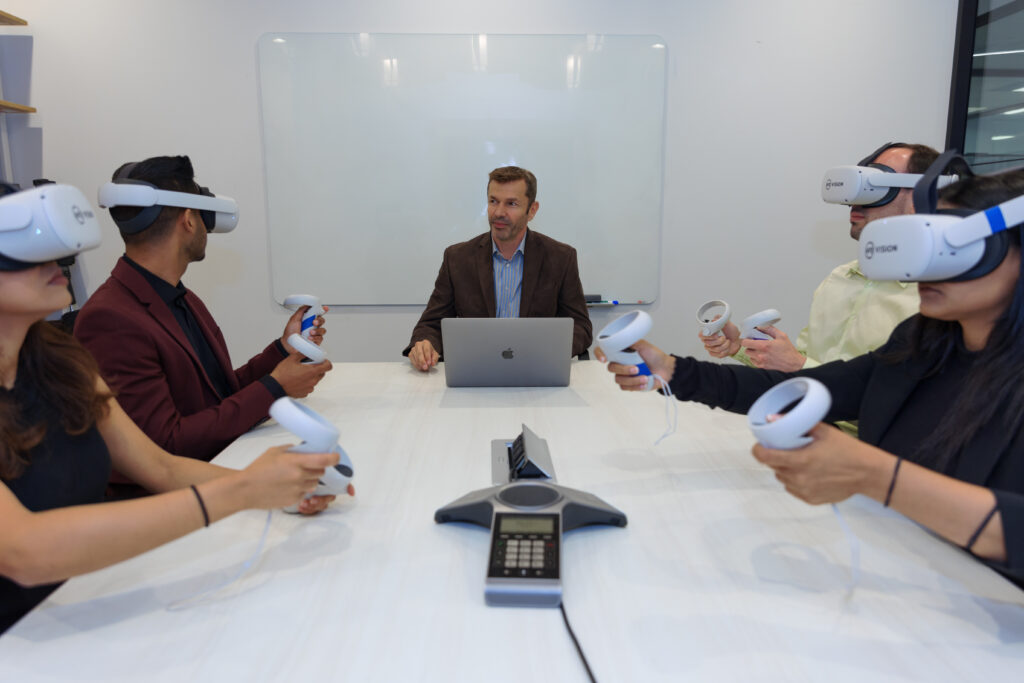
Key numbers for your network plan
Guidance from VR Vision deployments. Your numbers depend on content, headset count and how often you push updates.
The short answer: treat VR headsets like any other managed Android endpoint. Use standalone headsets, lock them down with a VR-specific MDM, put them on a dedicated Wi-Fi network with an explicit firewall allowlist, sign users in through your existing SSO, encrypt data in transit and at rest, and wipe sessions between users on shared devices.
VR is now a standard training tool at utilities, manufacturers and dealer networks. That puts headsets on your network, users in your identity provider and training data in a cloud platform. This guide covers each layer in the order an IT review usually works through it, with the settings and questions that come up most often.
01What does an enterprise VR deployment include?
Before the security review, list every moving part. Most VR training programs have five:
- Hardware. Headsets, controllers, charging docks and storage.
- IT setup. A stable network with enough bandwidth, plus the cloud services that deliver content and collect results.
- LMS integration. Syncing completions, scores and progress into your learning system.
- Software install and user training. Getting apps on devices and making sure trainers and learners can use them.
- Maintenance and support. Updates, troubleshooting and scaling to more sites.
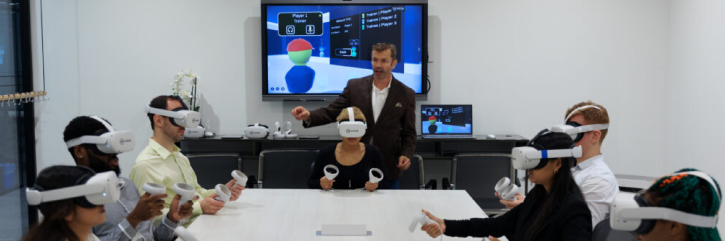
02Standalone or PC-powered headsets?
For most enterprise training, choose standalone headsets. They have fewer connection points, a smaller attack surface and simpler central management.
Standalone (Meta Quest, PICO)
- Self-contained, no PC required
- Easier setup and cloud-based updates
- Built-in controls for usage policies and remote monitoring
- Smaller attack surface
PC-powered
- Depends on a Windows PC and its credentials
- Content must stay in sync between headset and PC
- More patching and access control to manage
- Larger attack surface and compliance scope
Pick one hardware provider where you can. A single platform means one set of security policies, one update cycle and one vendor to assess.
03How do you secure the headsets themselves?
Physical security
Store headsets in locked cabinets near each training location, and limit access to trainers and managers. It prevents theft, damage and unsupervised use.
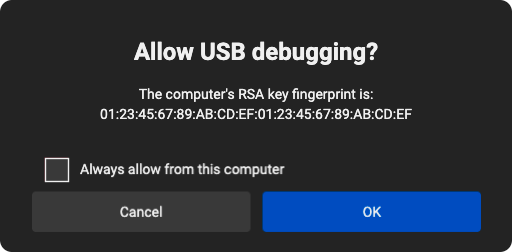
Turn off USB debugging
USB debugging gives anyone with a cable broad access to a headset: stored data, installed apps, installing or removing apps, resetting the device and reading logs through ADB. Disable it through your MDM once the deployment is live, and allow it only for authorized staff during development.
Built-in Android security
Standalone headsets run Android, so they inherit its core protections:
App isolation
Each app runs in its own kernel-level sandbox with a unique user ID, and every app must be signed by its developer.
Encryption and keys
User data is encrypted before it is written to disk, with a hardware-backed keystore for cryptographic keys.
Access control
SELinux enforces mandatory access control over every process, and a Trusted Execution Environment runs sensitive operations in isolation.
Verified Boot
Checks that the code running on the device comes from the manufacturer, creating a full chain of trust.
04What network and firewall setup does VR need?
Put headsets on a dedicated 5 or 6 GHz Wi-Fi network with at least 200 Mbps, and open only the endpoints the apps need through a default-deny firewall.
Wi-Fi
- Band. Use 5 or 6 GHz and disable other bands so headsets do not bounce between them.
- Speed. 200 Mbps or more for multiplayer sessions and MDM updates, since app packages run 1 to 2 GB. Normal daily use is about 15 MB per headset.
- Network type. A dedicated network for VR devices, not a guest or tunneled network.
- Roaming. If access points are set up per area, check roaming site by site to avoid dropped sessions.
- DNS. Know whether you use ISP, firewall or private DNS. It is the first thing to check when headsets cannot connect.
- MAC filtering. It works but is dated. Headsets use random MAC addresses by default, so you must switch each one to its device MAC.
Firewall allowlist
Most corporate firewalls block anything not explicitly needed. For each endpoint, your vendor should give you the domain, port, protocol, IP address where relevant and a reason it is required. Example entries:
| Endpoint | Port | Protocol | Why it is needed |
|---|---|---|---|
| facebook.com (Meta services) | 443 | TCP (HTTPS) | Required for Meta Quest headsets |
| Photon multiplayer servers | 443 | TCP (WSS) | Multiplayer training sessions |
| crashlytics.com (Google Firebase) | 443 | TCP | Analytics and crash reports (optional) |
Secure WebSockets (WSS) over TCP 443 is the recommended channel for real-time data. Ask for the full endpoint list before the pilot, not after the headsets arrive.
05How should users sign in to VR training apps?
Use single sign-on through your existing identity provider wherever possible. It centralizes access, enforces your password policy and keeps learner records tied to real accounts.
Single sign-on (SSO)
- One place to grant and remove access
- Less password fatigue for learners
- Your existing password and MFA policies apply
- One login across multiple VR modules
Custom login
- Built around specific security requirements
- Designed for a headset interface
- Useful where SSO is not available on the device
Either way, authentication protects learner data such as progress records and performance scores, and supports your data privacy and access control obligations.
06How is training data protected in the cloud?
Encrypt everything in transit with TLS and at rest with AES-256, authenticate every API call with short-lived tokens, give people only the access they need, and log everything.
In transit and at rest
- TLS on every API call, with strong, current cipher suites that are reviewed regularly.
- AES-256 database encryption, with keys held in a dedicated key management service, rotated regularly and tightly restricted.
- Encrypted backups with tested recovery procedures.
API authentication
OAuth 2.0 and SAML replace static credentials with short-lived tokens, support SSO and give fine-grained permissions and an audit trail. Store tokens securely, expire and revoke them, send them only over HTTPS, and audit the setup regularly.
Access, validation and monitoring
- Role-based access and least privilege for every admin and service account.
- Input validation on every request (format, type, length, encoding) to block SQL injection and XSS, with error messages that do not expose internals.
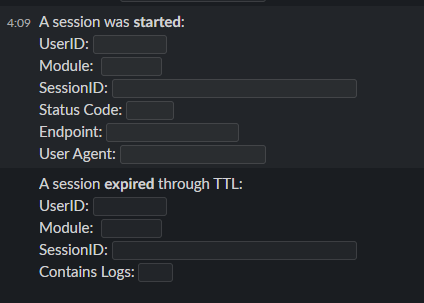
- Monitoring and logging of API traffic and database activity, with real-time alerts to Slack or Microsoft Teams for fast response and forensic review.
- Regular vulnerability scans and penetration tests.
Network isolation
Content delivery network (CDN)
Rate limiting against DDoS, an OWASP web application firewall and regional geofencing for data sovereignty.
Virtual private cloud (VPC)
Isolated networks, security groups and ACLs, private subnets reachable only by VPN or bastion host, and segmented routing.
These controls line up with what SOC 2 and ISO 27001 audits look for, so ask vendors how their platform maps to your framework.
07How do you manage a fleet of VR headsets?
Use a VR-specific MDM such as ArborXR, ManageXR or Meta Horizon Managed Services (which can pair with Microsoft Intune). Standard Android MDMs usually break on VR launchers and interfaces.
A VR MDM gives IT control over:
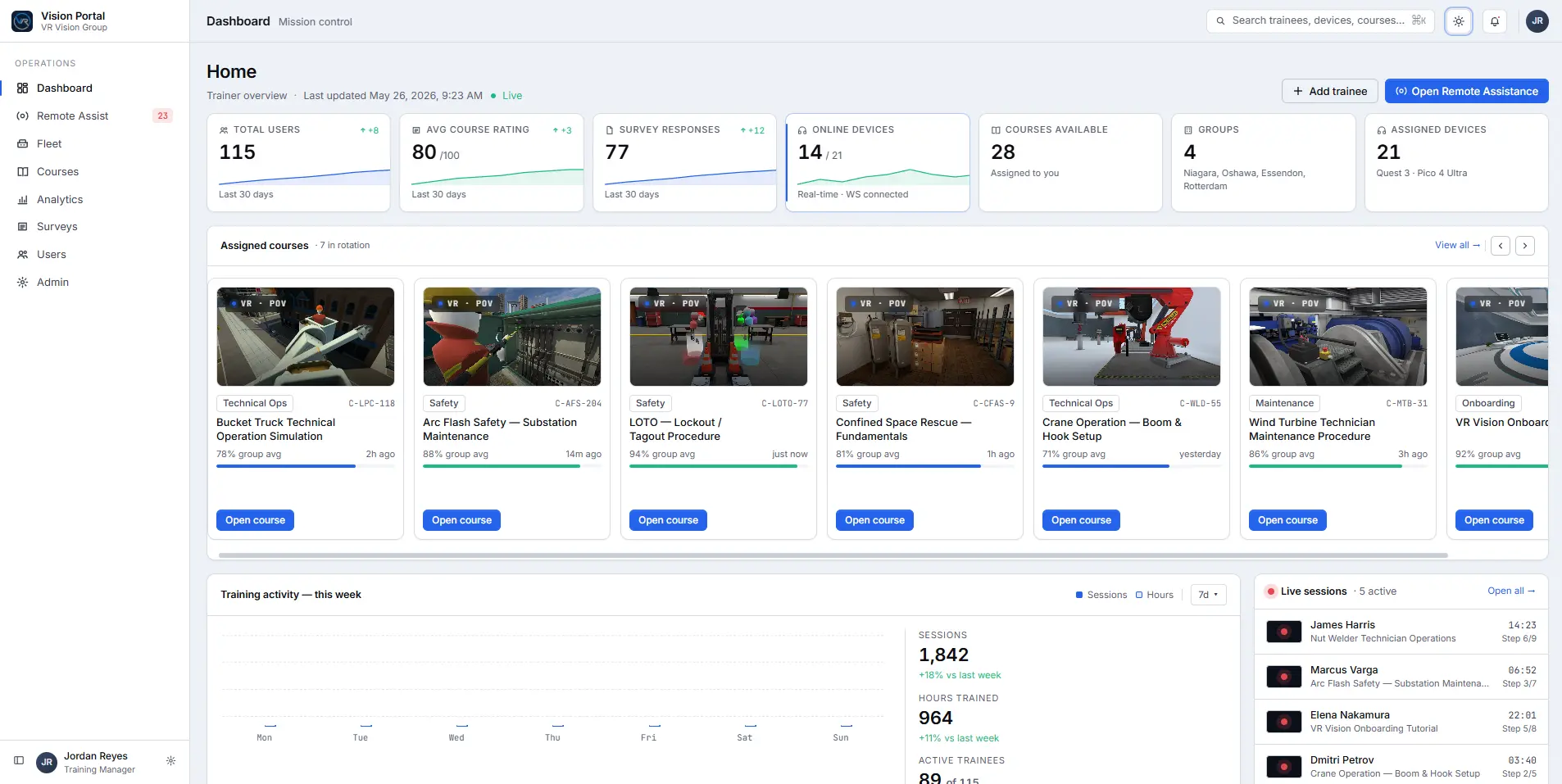
Device visibility
Name, serial number, status, battery, Wi-Fi network, configuration group and installed app versions.
Lockdown
Kiosk mode for a single app, USB debugging and permissions, library visibility and access to the headset's app store.
Settings and updates
Wi-Fi and security settings, firmware updates and grouped configurations for different sites or roles.
Content delivery
Push new app versions over the air instead of installing by USB.
Hand over control at go-live
During development, the vendor manages the MDM and pushes builds for your review. At deployment, move control to your IT or training team:
- Make your IT and training staff MDM admins, keeping only a few vendor contacts
- Move every headset into the production configuration
- Rotate Wi-Fi and device passwords every 6 to 12 months
- Create a separate "production testing" group that mirrors production, and test OS, app and MDM updates there first
- Set user permissions to match your enterprise standards
Every MDM balances live status reporting against blocking outbound data, and strict settings such as SCEP certificates and ciphers against remote controls like restart and forced sync. Agree these choices with your vendor before rollout.
08What about one-time passwords and shared headsets?
One-time passwords (OTP) in a headset
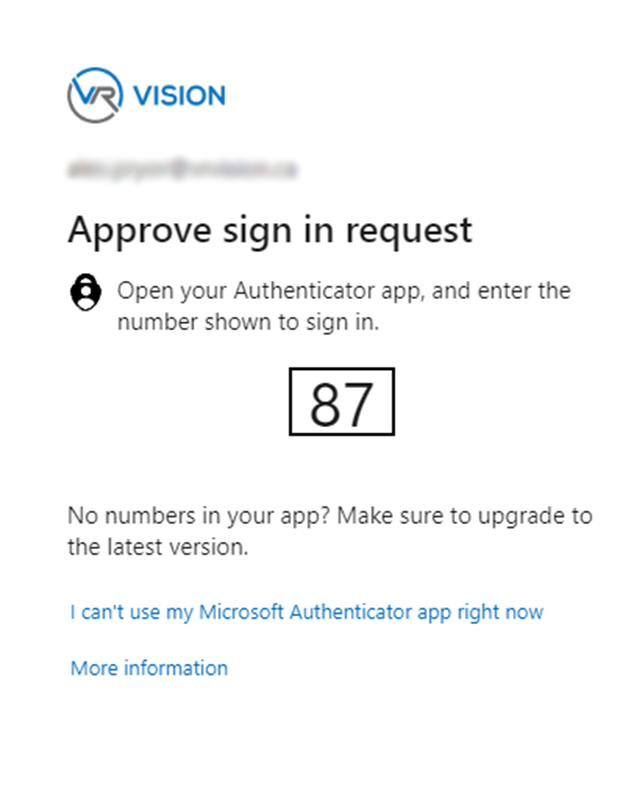
Many organizations use Microsoft Entra ID (Azure AD) for SSO with MFA and OTP. In VR, that creates two problems: learners may not have their phone or laptop in the training room, and reading and typing a code while wearing a headset is awkward. Many teams approve a narrow exception for supervised training rooms and rely on physical security, device certificates and context-based rules instead.
Shared devices
Most training programs share headsets, which brings three risks: one user seeing another's data or tokens, authentication that is hard to do well on a shared device, and settings drifting as users change. The fixes:
- Session isolation. Wipe all user data between sessions.
- Central management. Lock configurations, permissions and security settings through the MDM.
- Context-aware sign-in. Device certificates, IP ranges or location instead of full MFA where appropriate.
- Physical control. Locked storage and clear rules about who can take a headset out.
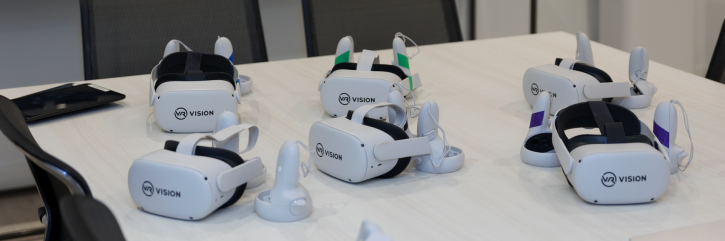
A trainer supervising each session adds a useful layer, but it does not replace authentication, session management or physical security.
09Questions to ask any XR vendor
Bring this list to your first technical call. A serious vendor should answer every question in writing.
- Which headsets do you support, and is there one recommended platform?
- Which MDMs have you deployed with, and who manages the MDM after go-live?
- Can you send the full firewall allowlist: domains, ports, protocols and the reason for each?
- How do users sign in? Do you support our identity provider for SSO and MFA?
- Where is learner data hosted, and can it stay in our country?
- Is an on-prem or air-gapped deployment available?
- How is data encrypted in transit and at rest, and who holds the keys?
- How are shared headsets wiped between users?
- How do you test and release updates without breaking live devices?
- How does your platform map to SOC 2, ISO 27001 or our internal framework?
- Does the platform integrate with our LMS (SCORM or xAPI)?
Comparing vendors on more than security? The Industrial VR Training Buyer's Guide covers cost, timelines and why programs stall.
How VR Vision handles IT and security
VR Vision has built VR training since 2016 for utilities, manufacturers and dealer networks, with 100+ enterprise deployments. Every program runs on Vision Portal, with SSO, MFA and role-based permissions.
SSO and MFA
Learners sign in through your existing identity provider, including Microsoft Azure, with MFA.
On-prem or air-gapped
Run fully inside your network where data residency or site rules require it.
US and Canadian hosting
Cloud hosting options in the United States and Canada.
Works with your MDM
Works with ArborXR, ManageXR and Meta Horizon Managed Services.
Meta and PICO partner
Hardware, device setup and support from one team, on standalone headsets.
LMS and compliance
SSO with Azure, Okta, Google or WorkOS, and LMS integration (SCORM 1.2/2004, xAPI) available on request.
Take the full guide to your IT review
Download the whitepaper version of this guide to share with your security, network and procurement teams.
Get the whitepaperXR IT and security: frequently asked questions
Is VR training secure enough for enterprise IT?
Yes, when it is deployed like any other managed endpoint. Standalone headsets run Android with app sandboxing, encryption and Verified Boot. Add a VR-specific MDM, a dedicated network with a firewall allowlist, SSO sign-in and encrypted cloud data, and VR fits inside a normal enterprise security review.
Can VR headsets work on an air-gapped or offline network?
Yes. VR Vision supports on-prem and air-gapped deployment for sites where data cannot leave the network. Content is loaded and updated through your own infrastructure instead of the public cloud.
Which MDM should we use for VR headsets?
Use a VR-specific MDM such as ArborXR, ManageXR or Meta Horizon Managed Services. Standard Android MDMs usually struggle with VR launchers and interfaces. VR Vision works with all three.
Do VR headsets support SSO and MFA?
VR training apps can sign users in through your existing identity provider, such as Microsoft Entra ID (Azure AD), with MFA. Because approving an MFA prompt is awkward in a headset, many teams add device certificates or location-based rules for supervised training rooms.
How much bandwidth does VR training need?
Plan for a dedicated 5 or 6 GHz network with at least 200 Mbps if you run multiplayer sessions or push large updates. App packages run 1 to 2 GB, while normal daily use is about 15 MB per headset.
How do you keep shared headsets secure?
Wipe each user session, manage every device centrally with an MDM, use context-aware sign-in instead of full MFA where appropriate, and store headsets in locked cabinets. A trainer supervising sessions adds a layer but does not replace these controls.
Bring your IT and security team a straight answer
Book a 30-minute security review call. We will walk your team through network, identity, device management and data hosting for your sites.