Fully interactive digital twins of your equipment. Crews pick up the tools, work the procedure step by step, and see what happens when they get it wrong, solo or as a team, on standalone headsets.





CGI simulations recreate the machine, the tools, and the site, so technicians can run the full procedure as many times as it takes. Here is what that changes.
Rehearse high-voltage work, gas leaks, and rescues you could never stage for real.
Unlimited reps on equipment that never has to come offline for training.
Technicians perform every step with virtual tools instead of watching slides.
Roll one course out to every site on standalone headsets, with nothing to ship.
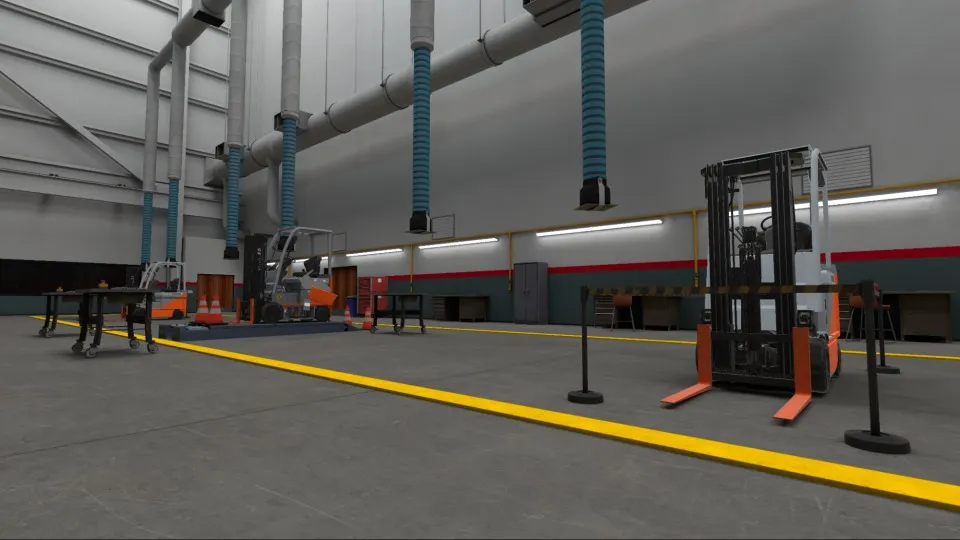
Your facility, machines, and tools rebuilt in 3D from CAD or BIM files, photogrammetry, or LiDAR scans, then optimized to run smoothly on standalone headsets.
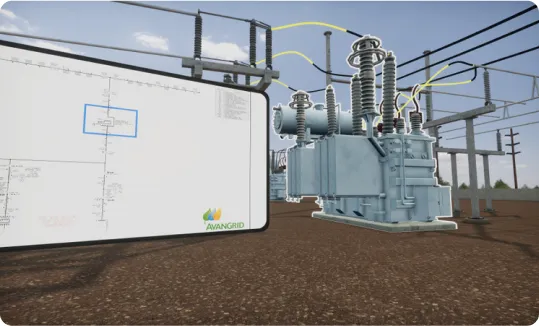
Buttons, cranks, dials, levers, and valves respond like the real equipment. Linear or non-linear procedures, narration, and scoring are built on the Vision SDK.
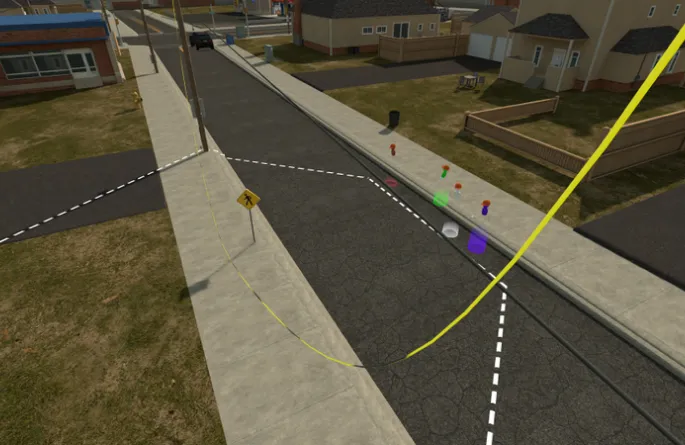
Trainers and trainees join the same virtual site from anywhere, talk by voice, and work the same equipment together. Sessions keep their state, so a long drill can pick up where it left off.
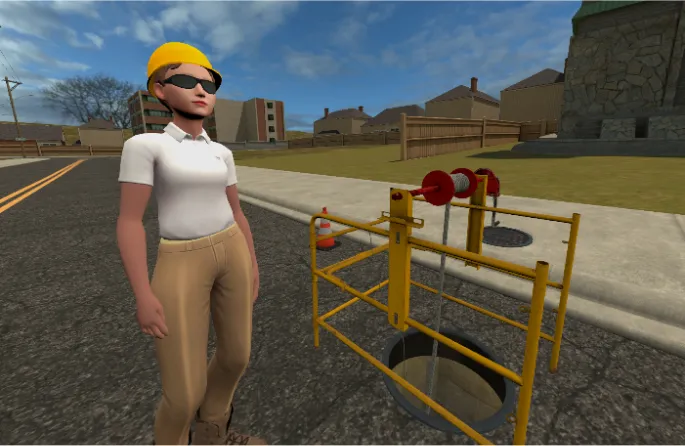
Computer-controlled characters stand in for customers, injured workers, or bystanders, so crews can practice scenarios that would be impractical or unsafe to stage with real people.
Virtual reality is a huge step forward for our already best-in-class training program. If anybody is going to make immersive learning the next big thing in clean energy, it’s Meta & VR Vision.
Avangrid and VR Vision built a persistent multiplayer training world where maintenance crews across the US meet trainers inside the same virtual substation or wind turbine. Hundreds of Meta Quest headsets run modules like SF6 switchgear gas replacement, wires down, and confined space rescue, with results sent to Avangrid’s LMS.

One team owns the whole build, from capturing your equipment to managing headsets. Most enterprise builds take 12 to 24 weeks.
Your SMEs and our instructional designers map the procedure, the equipment it touches, and how each step is scored.
Our 3D team builds the digital twin from your CAD or BIM files, or captures your site with photos and LiDAR.
Developers add interactions, multiplayer, NPCs, and assessment modes on the Vision SDK, then test them with your trainers.
Courses push to your headsets through MDM, and every session, score, and headset is tracked and synced to your LMS.

Watch trainees live from the headset’s point of view, message a group mid-session, skip a step when someone gets stuck, and report scores by procedure and site.
Estimate the savings and payback for your own training program.
Everything L&D and safety teams need to plan VR training: content options, hardware, assessments, and rollout.
CGI simulations are fully interactive, computer-generated replicas of real equipment and work sites. In a headset, learners pick up virtual tools, operate machinery, and work through a procedure step by step while the simulation scores each action. Energy, utility, manufacturing, and automotive teams use them to build hands-on skill on equipment that is too expensive, too dangerous, or too busy to train on for real.
CGI stands for computer-generated imagery. In VR training, it means the environment is built in real-time 3D rather than filmed. Because every object is modelled, learners can do more than look around: they open panels, turn valves, read gauges, and use tools with both hands, and the simulation reacts to every choice.
At VR Vision, CGI simulations pair digital twins of your facility and equipment with interaction design that mirrors how the real tools behave. They run on standalone headsets, so a course can reach any site without a gaming PC or a truck full of training equipment.
Both formats have a place, and many programs use both. The difference is how much the learner can do.
If a learner only needs to recognize the right answer, 360 video is usually enough. If they need to physically carry out the procedure, choose CGI.
One CGI course can support several modes, so the same content works for first-time learners and for certification.
Multiplayer runs on the VR Vision Multiplayer SDK, built on Photon networking with persistent save states on AWS. VR Vision is one of the only companies offering persistent, open-ended multiplayer simulations on standalone headsets.
Every build follows the same path: scope the procedure, model the environment, build the interactions, then deploy and track.
A typical enterprise build, including environment, interactions, multiplayer, and analytics, takes 12 to 24 weeks from kickoff to deployment. For a line-by-line look at what drives budget, see the VR training cost breakdown.
CGI delivers the strongest return when at least one of these is true:
Avangrid used CGI to build a persistent multiplayer training world for its maintenance crews, with modules from substation walkthroughs to SF6 switchgear gas replacement, and completed maintenance and repair training 65% faster than with traditional methods. Read the Avangrid case study, or see how Toyota Material Handling trains more than 10,000 dealer technicians a year.
Interactive 360 video uses real footage of your site with branching choices and hotspots. It is fast to produce and works well for orientation and soft skills. CGI simulations are fully interactive 3D environments where learners handle the tools and equipment themselves, so they suit complex technical procedures that need hands-on practice.
Yes. If you have CAD or BIM data, our 3D team organizes and optimizes it for VR. If not, we capture the site with photo references, LiDAR, or point cloud scans and model it from there.
A typical enterprise build, including the environment, interactions, multiplayer, and analytics, takes 12 to 24 weeks from kickoff to deployment. Large digital twins or multi-station builds can take longer. The Vision SDK lets us build about three times faster than industry-standard timelines.
Yes. Assets are optimized for standalone headsets, and we primarily build for Meta Quest 3 and PICO 4 Enterprise. Applications are built in Unity on OpenXR, so they also run on PC-tethered headsets when a simulation needs more graphics power.
Yes. Multiplayer sessions put trainers and trainees in the same virtual site with voice chat, from any location. Persistent sessions save their state, so teams can run long exercises like switching orders across several sessions.
Yes. VR Vision supports both cloud-hosted and air-gapped offline deployments, and connects to enterprise LMS platforms through xAPI, SCORM, or direct API.
See a CGI simulation from your industry and talk through what your first module could look like.